Audio Stream Player1.0.3
Publisher Description


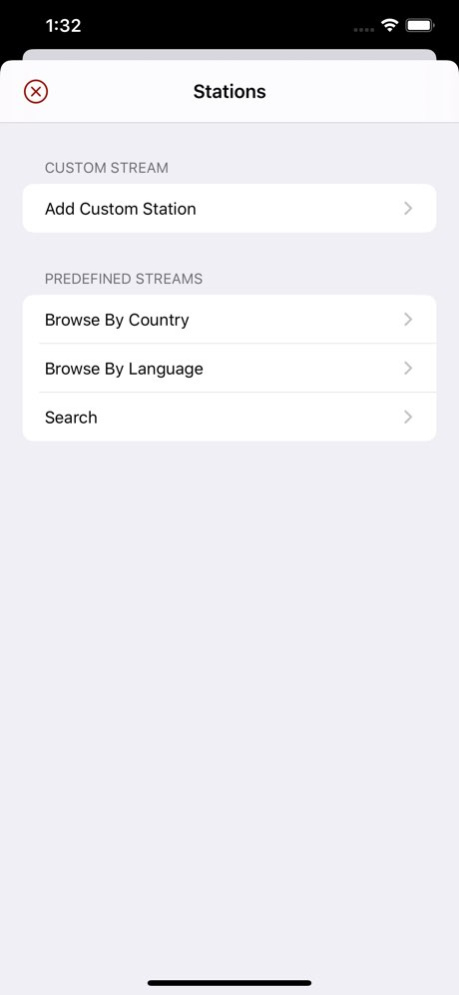

Audio Stream Player is a sound player that streams data from internet to your device and plays them. It has a database of more than 25000 online radio stations that you can search and add to your list. It can also plays your own streams from any source or from our own "Stream Server" from Mac App Store.
You can mark some stations as a playlist and change the station remotely, i.e. from car bluetooth player by seeking the previous or next track.
It's a free app with a small ad at the bottom which you can remove by upgrading to no-ad version.
Watch app can be used with or without phone to play streams directly to watch speaker or any Bluetooth device paired to the watch.
Enjoy.
Version History - Fixed a problem causing current playing track to not show the track properly when in full version mode. 1.0.3 05/06/2022 - A new playlist system
- Improved integration with backend database
- Current playing song or title of podcast is now detected. 1.0.2 04/24/2022 - Added watch app. 1.0.1 06/30/2020 1.0.0 12/19/2019
About Audio Stream Player
The company that develops Audio Stream Player is Dayana Networks Ltd. The latest version released by its developer is 1.0.3. This app was rated by 1 users of our site and has an average rating of 4.5.
To install Audio Stream Player on your iOS device, just click the green Continue To App button above to start the installation process. The app is listed on our website since 2026-10-14 and was downloaded 19 times. We have already checked if the download link is safe, however for your own protection we recommend that you scan the downloaded app with your antivirus. Your antivirus may detect the Audio Stream Player as malware if the download link is broken.
How to install Audio Stream Player on your iOS device:
- Click on the Continue To App button on our website. This will redirect you to the App Store.
- Once the Audio Stream Player is shown in the iTunes listing of your iOS device, you can start its download and installation. Tap on the GET button to the right of the app to start downloading it.
- If you are not logged-in the iOS appstore app, you'll be prompted for your your Apple ID and/or password.
- After Audio Stream Player is downloaded, you'll see an INSTALL button to the right. Tap on it to start the actual installation of the iOS app.
- Once installation is finished you can tap on the OPEN button to start it. Its icon will also be added to your device home screen.
Program Details
System requirements
Download information
Pricing
Version History
version 1.0.3
posted on 2026-10-14
Version History - Fixed a problem causing current playing track to not show the track properly when in full version mode. 1.0.3 05/06/2022 - A new playlist system
- Improved integration with backend database
- Current playing song or title of podcast is now detected. 1.0.2 04/24/2022 - Added watch app. 1.0.1 06/30/2020 1.0.0 12/19/2019
version 1.0.3
posted on 2022-05-06
- Fixed a problem causing current playing track to not show the track properly when in full version mode.
version 1.0.3
posted on 2022-05-06
May 6, 2022 Version 1.0.3
- Fixed a problem causing current playing track to not show the track properly when in full version mode.
version 1.0.1
posted on 2020-06-30
Jun 30, 2020 Version 1.0.1
- Added watch app.
